Files and Bundles
Check the bundle type before using a file for installation or recovery. Bundles are not interchangeable.
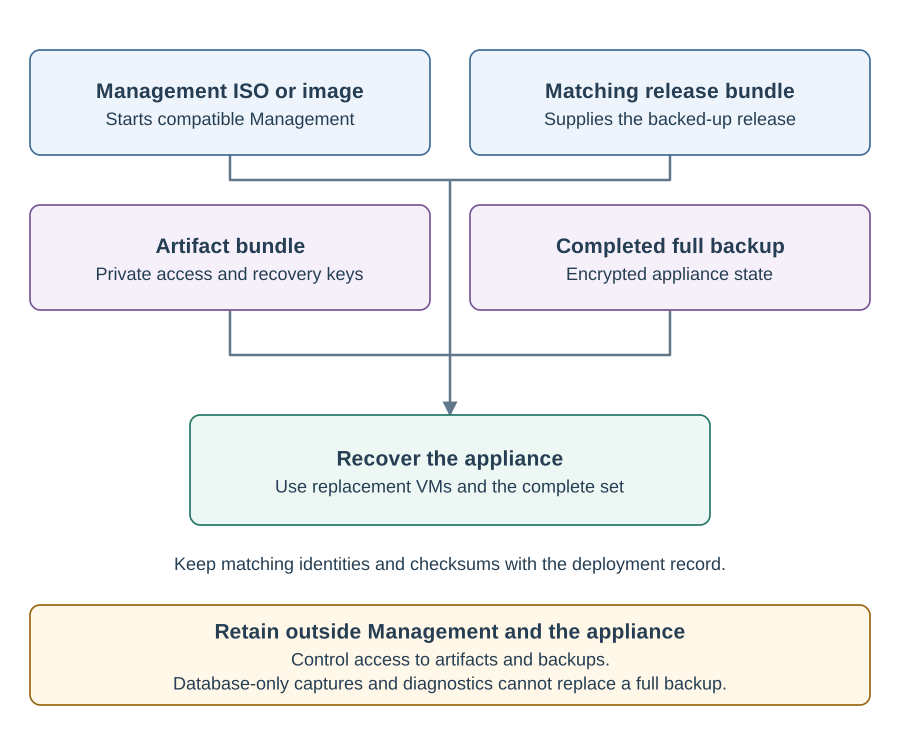
| Material | Purpose | Where it is used |
|---|---|---|
Management ISO |
Boots the Management host. Keep it attached to the Management VM. Management updates are retained across reboots. |
|
Management container image |
Runs Management with Docker on an operator-maintained host. Its image archive does not contain your initialized state. |
Container deployment, including Compose. |
Release bundle |
Installs one specific Appliance release and supplies that release’s installation content. |
Fresh installation and recovery of the same backed-up release. |
Update bundle |
Updates the Appliance to the selected release. |
Appliance update. It cannot replace a full release bundle for recovery. |
Artifact bundle |
Sensitive archive containing cluster access and recovery material, including private keys. |
Reconnect, Management reconstruction and full Appliance recovery. |
Full backup bundle |
Appliance state and an inventory of the configuration and software captured in one completed full backup. |
Appliance recovery, together with matching artifacts and release content. |
Database recovery point |
An independent physical database capture. Contains database data only. |
Database recovery investigation. It is insufficient for full Appliance recovery. |
Recovery bundle |
A full backup uploaded to Management’s bundle list. |
Selection in the recovery wizard. It stays stored until an administrator deletes it. |
Diagnostics bundle |
Collected logs, system information and findings from one diagnostics run. |
Support investigation. It cannot restore the Appliance. |
For a fresh deployment, start with the installation introduction. See Export bundle archives for release and update archive commands, Management container images for host image preparation and appliance boot media for release-specific downloads.
Retention Rules
Download and verify artifact bundles when prompted. Management retains their credentials for a limited access lease, not as your permanent recovery copy. Retain the full backup and its matching artifacts outside both Management and the Appliance, together with access to the matching release bundle.
Keep backup keys for every backup generation you retain. Store artifact bundles under access controls appropriate for administrator credentials and private keys. Send a diagnostics archive to support through the agreed channel; do not substitute an artifact bundle.
Keep the qualified Management image that matches the release or update bundle available for its operation. Local release and recovery bundles consume Management storage. Before deleting content, check whether installation, update or recovery still needs it. See bundle management and storage maintenance.