Change ERS Configuration
After ERS initialization, use the ERS pages to change interfaces and component settings.
Work as a Management administrator with active cluster access. Configuration changes can restart affected components and interrupt their clients. Finish any Appliance update before editing.
| Screenshots show the Management frontend with simulated example data. Versions, hostnames, timestamps and status observations do not describe a deployed appliance. |
Choose the appropriate Page
| Tab | Purpose |
|---|---|
Overview |
Observe ERS progress and components; open the applications and copy client endpoints. |
Enabled interfaces |
Enable or disable EST, CMP, SCEP and AEC. ACME is always enabled. |
Configuration |
Change supported component logging and environment settings and AEC directory configuration. |
PKI |
Review the organization, CA and bootstrap configuration locked at initialization. |
HSM |
Change the selected library or its connection configuration for an Appliance bootstrapped with HSM storage. |
Advanced |
Reset ERS when deliberately replacing its active installation and data. |
Change Interfaces or Component Settings
-
Open ERS > Enabled interfaces or ERS > Configuration.
-
Review the saved settings. Enable only the optional interfaces required by your clients. Disabling an interface retains its identity and credentials.
-
Edit the applicable component fields. For AEC, provide the required directory settings, editable configuration and uploaded files shown by the form.
-
Select Save configuration. Review the listed changes and confirm with Apply configuration.
-
Reopen ERS > Overview and check the current status of affected components. Open or test the changed interface from the client network.
A successful save records the desired configuration. Check publication, component startup and client connectivity separately. See configuration publication and verification.
Organization, PKI identity, cryptography, key storage mode and SMTP settings are locked after bootstrap. HSM library and connection changes have their own procedure.
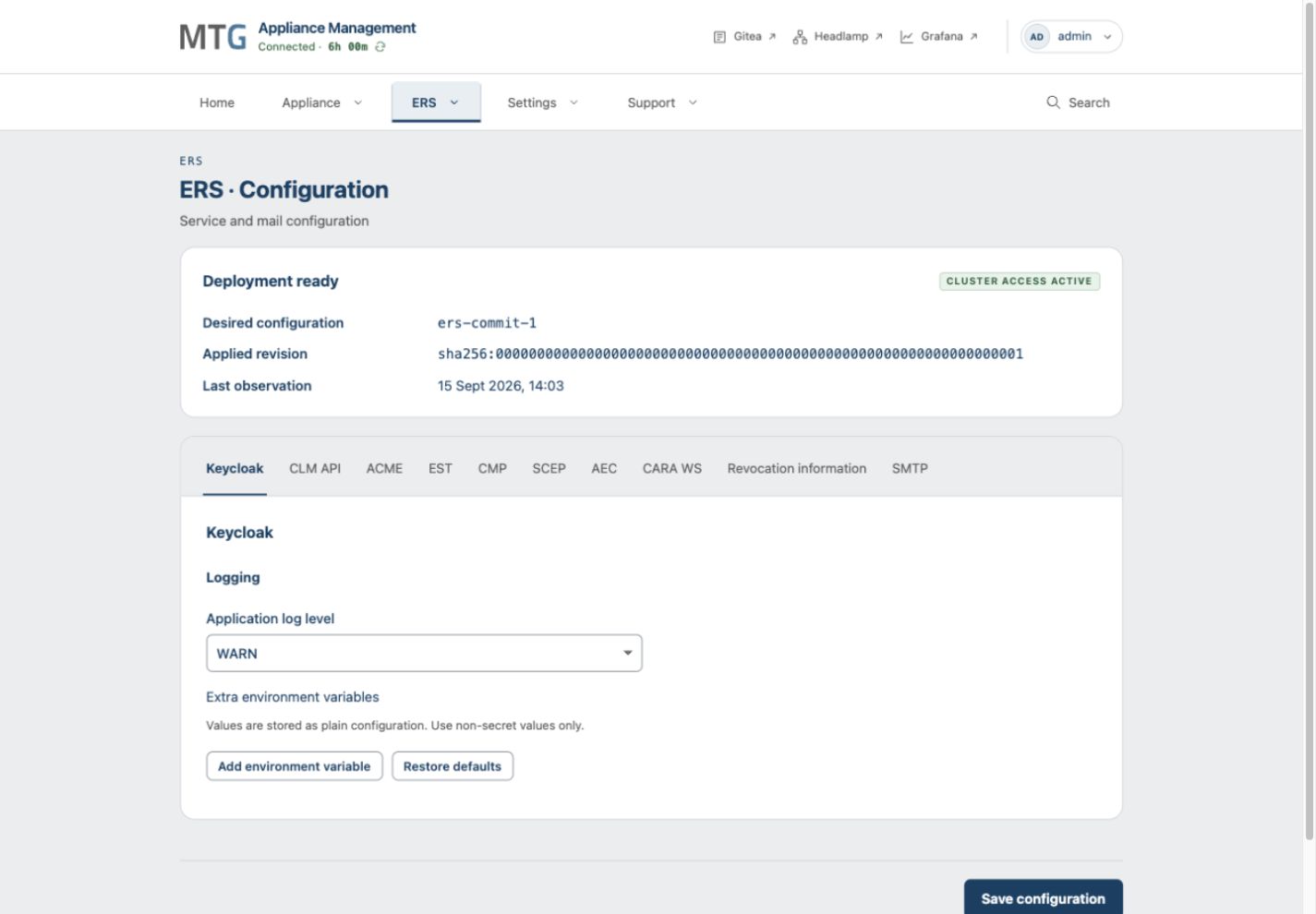
Logging and Runtime Defaults
New component settings use WARN for application logging and, where available, SQL logging.
Keycloak has no separate SQL logging setting. Increase logging when investigating a specific issue, then restore the normal level to limit log volume.
Management does not add a default JAVA_TOOL_OPTIONS override.
Components use their packaged JVM settings unless you supply an environment override.
Check the Appliance’s saved values before editing; they may already override those defaults.
Handle interrupted Edits
If cluster access changes, re-enter credentials and upload any staged files the page reports as retired. If another operator changed the same configuration, load the current state and compare it with your edits before submitting again.
If a component remains unavailable, inspect its status and logs in Grafana and Headlamp. Use troubleshooting before considering a destructive reset.