Manage HSM Libraries and Connections
To set up an HSM, upload its library, select it for CARA and configure the device connection. A successful upload does not activate the library or test the device.
Work as a Management administrator with an installed, connected Appliance. Obtain the correct PKCS#11 shared library and connection details from your HSM vendor. Allow for CARA restarts when changing its library or connection settings.
| Screenshots show the Management frontend with simulated example data. Versions, hostnames, timestamps and status observations do not describe a deployed appliance. |
Upload a Library
-
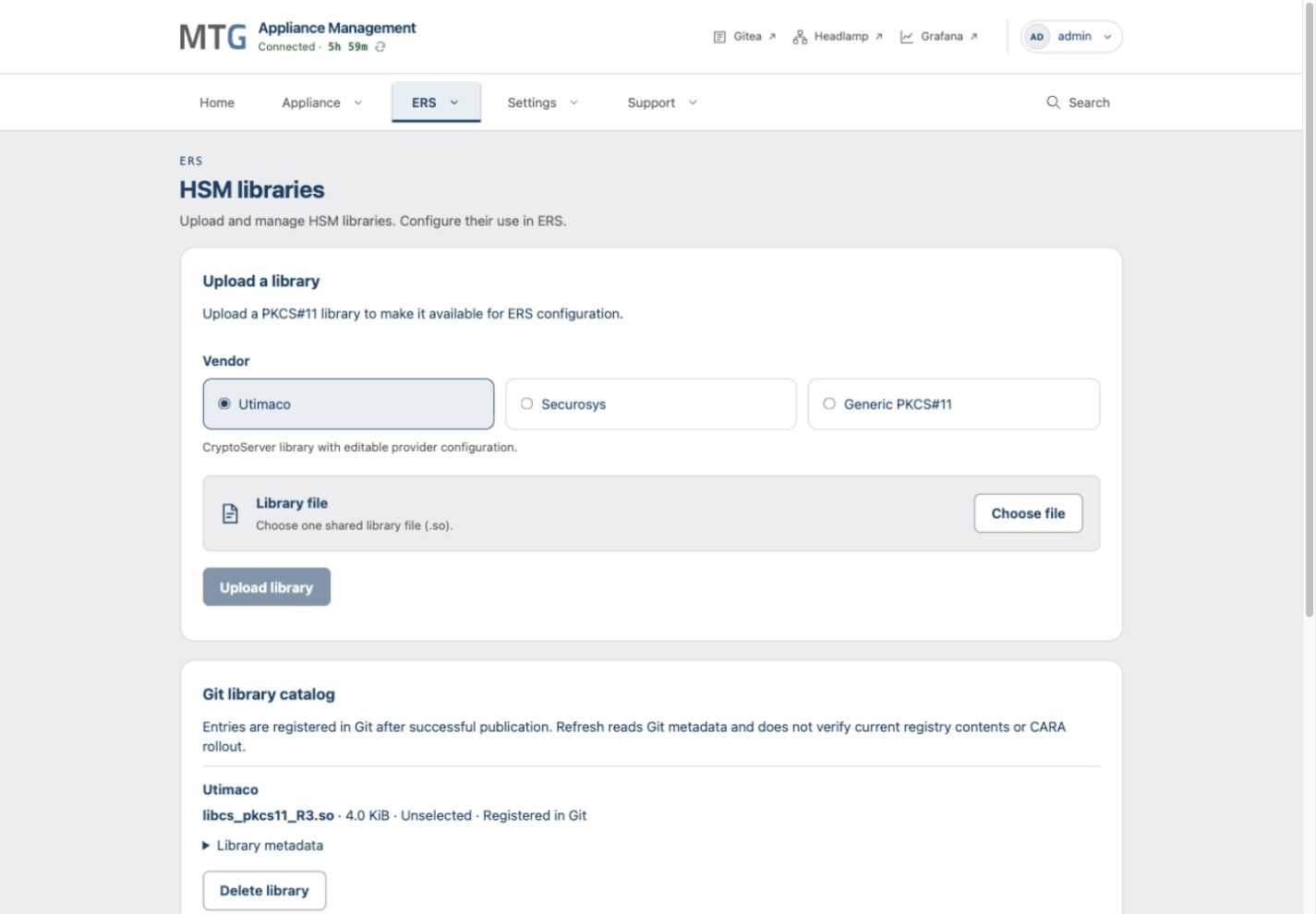
Open ERS > HSM libraries. This page is available before the first ERS bootstrap.
-
Under Upload a library, choose the vendor matching the file: Utimaco, Securosys, or Generic PKCS#11.
-
Select Choose file, select one
.soshared library and select Upload library. -
Follow Library operation and its registry results. After successful publication, confirm that the library appears in the Git library catalog.
-
Inspect Library metadata and compare the file SHA-256, platform and filename with the intended delivery.
The catalog records libraries registered after publication. Refreshing it reads Git metadata; it does not recheck registry content or running CARA workloads. If publication fails, correct the reported problem and use Retry library operation.
Select a Library during Bootstrap
The ERS wizard supports Utimaco and Securosys connection setup. In its Key storage step, choose Hardware security module, then select the uploaded library. The library determines the connection vendor.
For Utimaco or Securosys, edit the provider configuration in the browser and enter the device settings and PIN. The built-in text is a starting template, so review it against the actual HSM connection. Maintain Generic PKCS#11 connection configuration directly in Gitea. Selecting a Generic PKCS#11 library does not provide a complete browser bootstrap path. Agree the configuration procedure for your release with MTG before deploying that vendor.
The complete Bootstrap ERS submission selects the library and saves the connection settings. See Initialize ERS.
Change an active Library
This procedure applies to an Appliance whose ERS bootstrap selected HSM key storage.
-
Upload the replacement library if it is not already in the catalog.
-
Open ERS > HSM and select Change library.
-
Select the replacement. When switching between vendors, provide the required new provider settings and PIN. Generic PKCS#11 settings remain managed in Gitea.
-
Select Apply library change. Review the current and replacement library details, then confirm Change library.
-
Check the saved library selection and CARA readiness, then test an ERS operation that uses the HSM.
For a replacement from the same vendor, the change retains the saved connection settings. Selecting a library in Git is not proof that CARA has restarted with it or can reach the HSM.
Change the Connection
For Utimaco or Securosys, open ERS > HSM and edit the connection settings and provider files. Enter a replacement PIN only when you intend to change it. Select Save connection settings, review the changes and confirm Apply connection settings.
An incorrect configuration can interrupt access to HSM keys. After saving, verify CARA startup and a supported operation using the HSM. If the configuration was committed but the device remains unreachable, inspect CARA logs and verify the device address, domain or slot, credentials and network path.
For Generic PKCS#11, use the GitOps workflow for connection settings. Keep secrets encrypted in the repository.
Delete an unused Library
In ERS > HSM libraries, inspect the entry and select Delete library. The library selected for CARA in Git cannot be deleted through this action. Confirm the deletion only after checking that no advanced configuration override depends on it.
Deletion removes the published image copies and catalog entry. To reuse the library, publish it again. ERS reset keeps uploaded libraries but clears the selection and connection configuration.