Reconstruct Management
Rebuild Management when its host, persistent state or administrator access is lost while the installed Appliance survives. This procedure reconnects to the surviving Appliance and restores its published GitOps history.
| Screenshots show the Management frontend with simulated example data. Versions, hostnames, timestamps and status observations do not describe a deployed appliance. |
Before you begin
-
Have the Appliance’s retained artifact bundle and the exact Management version and build ID required by its release bundle.
-
Provide a fresh Management ISO VM and state disk, or a container host with a fresh Management data volume, according to the requirements. Preserve failed state for diagnosis.
-
Keep the previous Management instance inactive so that two instances do not publish competing configurations.
-
Check that the new Management network can reach the surviving Appliance.
The ISO does not restore a Management disk image or reset a forgotten Management administrator password. A fresh Management installation creates new Management state. A retained ISO state disk may select a Management image independently of the attached ISO. Replacing the ISO alone does not clear that selection or repair a failed selected image. See Management image selection before replacing media. Recreate the local accounts and registry connections you need and download or upload the required bundles again.
Reconstruct and Reconnect
-
Deploy fresh Management through Docker Compose with a new data volume, or deploy and initialize the ISO VM. For an ISO host, restrict SSH to approved maintenance sources before its first boot.
-
For a fresh ISO host, repeat the SSH access policy. Leave SSH disabled or configure new persistent credentials and an explicit method through Host access after initialization. Verify the intended policy after reboot before returning the host to production use. A fresh state disk does not retain the lost host’s SSH settings or credentials.
-
Sign in to the new Management instance and verify its version and build ID against the retained release bundle. For Docker or Compose, use the qualified image on the host. For a subsequent installation or full recovery, complete Management preparation for its selected bundle.
-
Follow Reconnect the Appliance and supply the existing Appliance’s artifact bundle. Do not start a fresh Appliance installation.
-
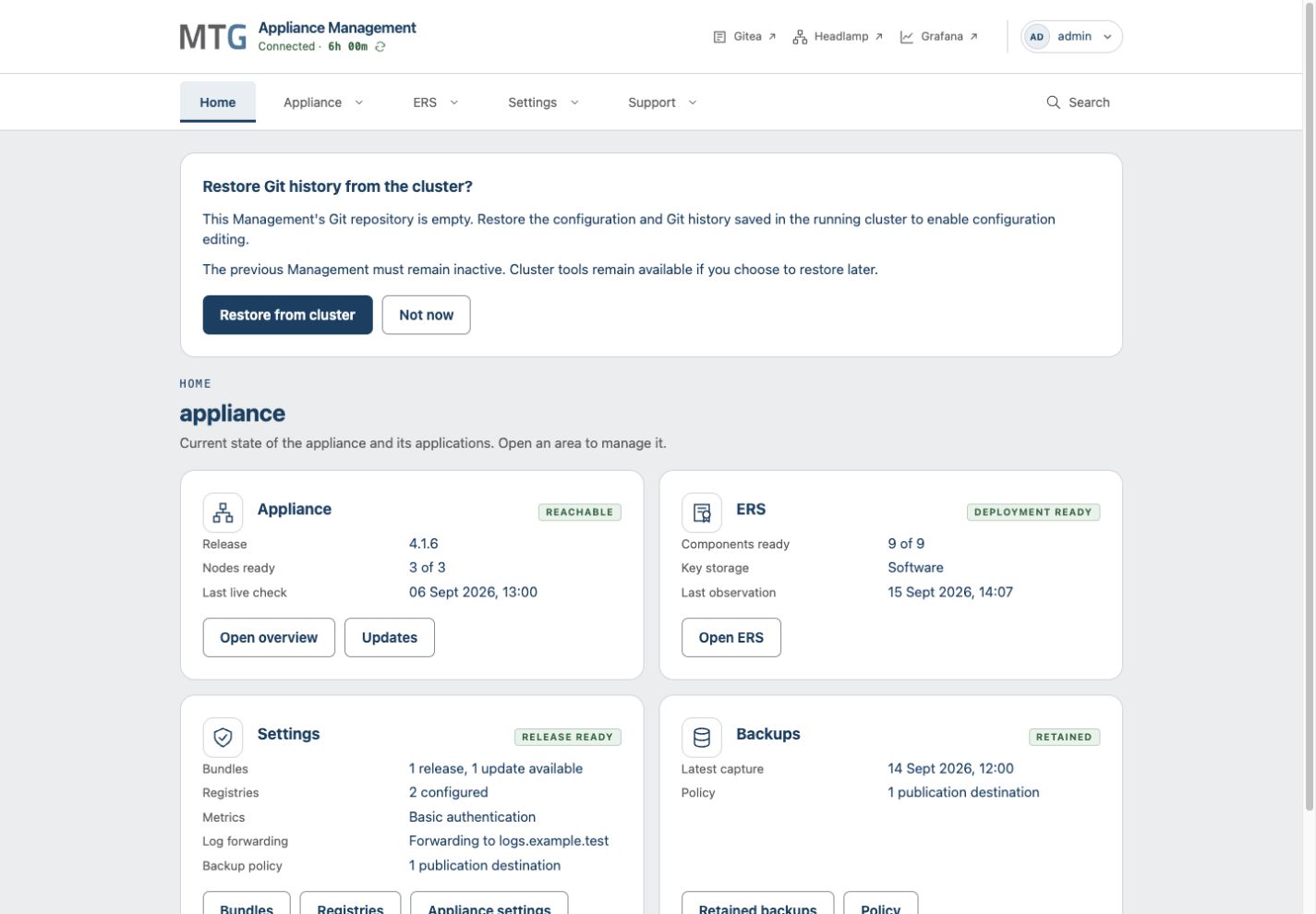
When the dashboard offers Git history recovery, choose Restore from cluster. The configured destination repository must be accessible and empty. If it is inaccessible, correct the Gitea connection and use Check Git repository again.
-
Wait for restoration to finish. If you choose Not now, the recovery choice remains available on the dashboard.
-
Recreate registry connections and retrieve or upload locally needed release and recovery bundles through Settings.
Management recovers the Appliance’s selected published configuration from a surviving Appliance registry. The initial GitOps files inside an old artifact bundle are not a substitute for that current configuration. This procedure cannot recover changes that were never published from the lost Management repository.
Verify
Confirm the expected Appliance identity and release. Open Gitea and check that the recovered configuration and Git history belong to that Appliance. Then check health and application access. Services can still have failures after a successful reconnection.
If the Appliance cannot supply its selected configuration, preserve the error and contact support. If the Appliance itself was lost, use full Appliance recovery instead.